The best golf launch monitors for a home simulator
Nine launch monitors ranked for a home simulator, from a $200 range radar to a $7,000 camera, with the room each needs and what it costs over three years.
How we make money. If you buy through a retailer link here, we may earn a commission. It costs you nothing and doesn’t change our picks. Our affiliate disclosure.
Key takeaways
- The Bushnell Launch Pro is our pick for most home bays. It uses GC3 cameras, sits beside the ball and costs $2,500 to $4,000, with full data on Silver or Gold.
- Room depth sets your shortlist. The R10 and MLM2PRO need 15 ft with a net, 16 with a screen. Camera units fit 12 ft with a net, 13 with a screen.
- Fees change the real price. The MLM2PRO comes to about $1,000 to $1,300 over three years, and the SkyTrak+ needs a plan (around $250 a year) for simulator play.
- For less money, the SkyTrak+ ($1,800 to $3,000) adds full club data, and the Square Golf ($600 to $700) fits a 12 ft room.
Our picks
US retail price ranges
Bushnell Launch Pro, Best overall
GC3 cameras for less than a GC3. It sits beside the ball, so it fits rooms no radar can.
- Sits
- Beside the ball
- Room depth
- 12 ft net / 13 ft screen
- Club data
- With a plan
SkyTrak+, Best value for a full simulator
Ball and club data, the longest software list in its class, and closeout deals under $2,000.
- Sits
- Beside the ball
- Room depth
- 12 ft net / 13 ft screen
- Club data
- Measured
Square Golf Launch Monitor, Best for small rooms
A camera beside the ball that runs GSPro in a room with no space behind you, for about the price of an R10.
- Sits
- Beside the ball
- Room depth
- 12 ft net / 13 ft screen
- Club data
- Partial
Garmin Approach R10, Best under $600
The cheapest radar that plays real simulator golf. You need 15 ft of depth with a net (16 with a screen), and spin is a guess.
- Sits
- 7 ft behind the ball
- Room depth
- 15 ft net / 16 ft screen
- Club data
- Partial
Rapsodo MLM2PRO, Best with swing video
Radar plus two cameras, so you get swing video and measured spin, as long as you keep paying for Premium.
- Sits
- 7 ft behind the ball
- Room depth
- 15 ft net / 16 ft screen
- Club data
- Partial
Full Swing KIT, Best radar
The best radar for a home bay short of TrackMan money, with 16 data points and no required subscription.
- Sits
- 8 ft behind the ball
- Room depth
- 16 ft net / 17 ft screen
- Club data
- Measured
Foresight GC3, Best no-subscription camera
The Launch Pro's hardware with club data and software paid for once, and no yearly fee.
- Sits
- Beside the ball
- Room depth
- 12 ft net / 13 ft screen
- Club data
- Measured
$6,500–$7,500
See it at Rain or Shine GolfFlightScope Mevo Gen2, Best indoor/outdoor radar
One radar for the range and the bay, with the deepest data of any radar at its price.
- Sits
- 8 ft behind the ball
- Room depth
- 16 ft net / 17 ft screen
- Club data
- Measured
$1,300–$2,300
See it at Rain or Shine GolfShot Scope LM1, Best for the range
Carry numbers on a built-in screen for about $200, with no app or subscription to think about.
- Sits
- 5 ft behind the ball
- Room depth
- 13 ft net / 14 ft screen
- Club data
- None
$200–$250
See it at Amazon
This list is for you if you want to play simulator golf at home, not just check carry numbers at the range. A range unit only has to be accurate.
A simulator unit also has to fit your room and run software you like. And it can’t cost a second purchase price in fees over the next three years.
Budget stops at $1,000? Our list of the best launch monitors under $1,000 goes deeper on that end.
Haven’t measured your space yet? Do that first and put the numbers into the room checker.
Six of the eleven units here are radars that sit behind you. The most accurate unit in the world won’t help if it doesn’t fit.
The top six side by side
| Launch monitor | Price | Tracking | Sits | Room depth | Club data | Subscription |
|---|---|---|---|---|---|---|
| Bushnell Launch Pro | $2,500–$4,000 | Camera | Beside ball | 12–13 ft | With plan | Yes, for sim play |
| SkyTrak+ | $1,800–$3,000 | Camera | Beside ball | 12–13 ft | Yes | Yes, for sim play |
| Square Golf Launch Monitor | $600–$700 | Camera | Beside ball | 12–13 ft | Partial | Optional |
| Garmin Approach R10 | $500–$600 | Radar | 7 ft behind | 15–16 ft | Partial | None |
| Rapsodo MLM2PRO | $600–$700 | Radar | 7 ft behind | 15–16 ft | Partial | Yes, for sim play |
| Full Swing KIT | $4,000–$5,000 | Radar | 8 ft behind | 16–17 ft | Yes | None |
Prices are US store ranges. Room depth is wall to wall: the first number is with a net, the second with an impact screen, which needs a 1 ft gap behind it.
How to choose
Make four decisions, in this order. The first one knocks out the most units.
- Measure the room. A radar sits behind you and needs a deep room. A camera unit sits beside the ball and fits much smaller ones.
- Decide what data you need. Spin matters most for playing on screen. Club data matters if you want to fix your swing, not just watch the result.
- Check the software. Make sure the unit runs the program you want to play, such as GSPro, E6 Connect or Awesome Golf.
- Add up three years of fees. A cheap unit with a yearly plan can cost twice its sticker price by year three.
Room first
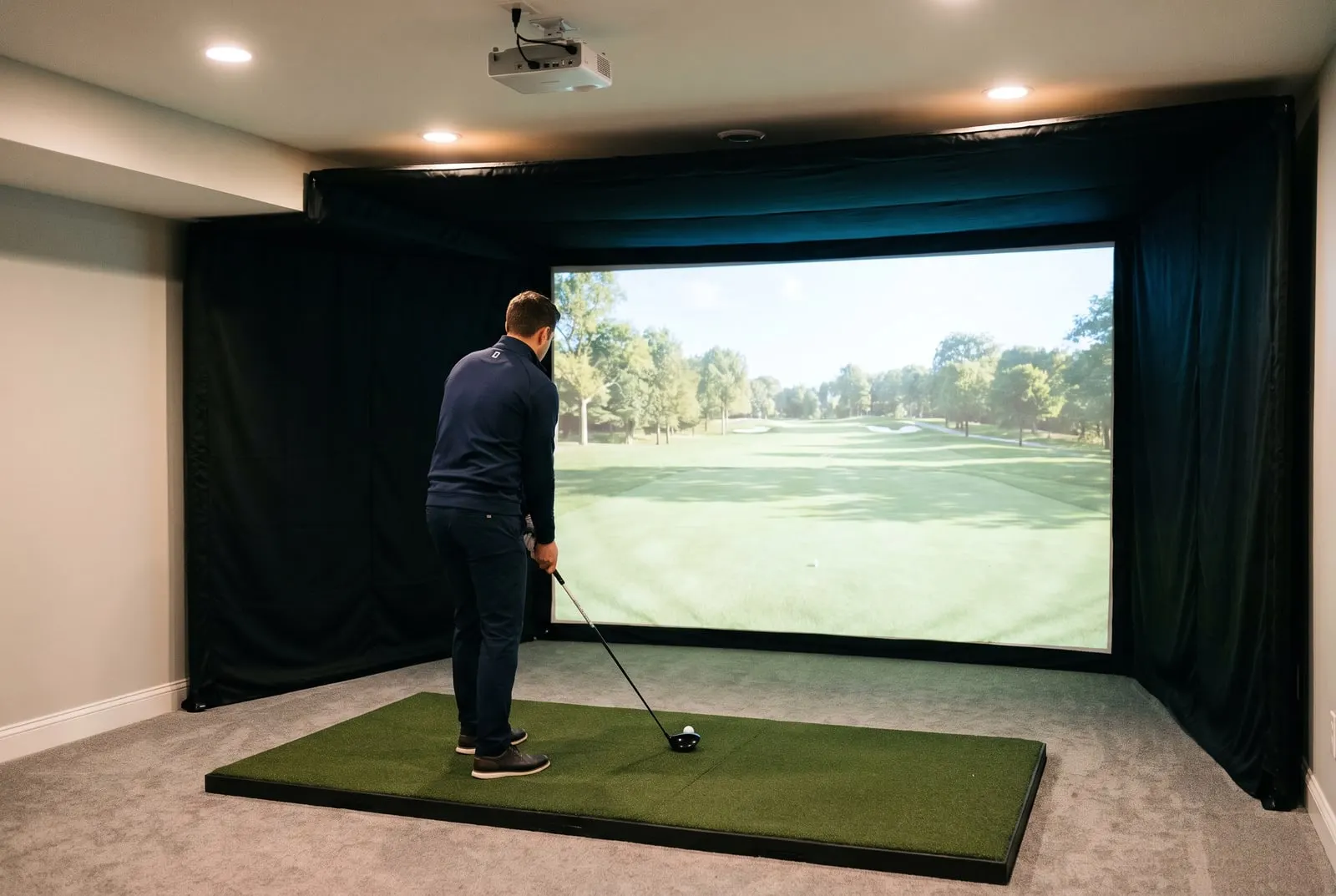
A launch monitor is the gadget that measures your shot and tells the software where the ball would have gone. They come in two layouts. A radar unit sits on the floor behind you and tracks the ball as it flies, like a speed gun.
A camera unit sits beside the ball and takes super-fast photos at impact. The layout sets your minimum room depth before any other spec matters.
Room depth with an impact screen
A net needs 1 ft less, because it doesn't need a gap behind it.
Too short
Even camera units need 13 ft
Camera units only
Launch Pro, SkyTrak+, Square Golf, GC3, EYE MINI
Radars fit
R10 and MLM2PRO from 16 ft; KIT, Mevo Gen2 and TrackMan from 17 ft
Comfortable for a radar
Under 13 ft
Too short
Even camera units need 13 ft
13 ft to 16 ft
Camera units only
Launch Pro, SkyTrak+, Square Golf, GC3, EYE MINI
16 ft to 18 ft
Radars fit
R10 and MLM2PRO from 16 ft; KIT, Mevo Gen2 and TrackMan from 17 ft
18 ft and up
Comfortable for a radar
Here’s where those numbers come from. The R10 and MLM2PRO ask for 7 ft behind the ball. The Full Swing KIT, Mevo Gen2 and TrackMan 4 ask for 8 ft.
Every unit wants 8 ft of ball flight, plus a foot behind an impact screen. Treat the results as floors, not targets.
Camera units need only about 4 ft of swing room behind you. Say your tape measure says 12 ft. Then you’re shopping for a camera unit, whether you planned to or not.
Our guide to how much space a simulator needs covers ceiling height and width, too. Those matter as much for your swing as depth does for the unit.
The data you need
Every unit here reports ball speed (how fast the ball leaves the club), launch angle and launch direction. The differences are in spin and club data.
Spin matters most for simulator play. Spin rate is how fast the ball spins, and it decides how high it climbs and how fast it stops. Get the spin wrong and the ball flies the wrong distance on screen.
- The R10 estimates spin from the radar.
- The MLM2PRO measures it, but only from a ball with a printed marker.
- Camera units like the Launch Pro, GC3 and SkyTrak+ measure it on any ball.
If you shape shots and want to trust your wedge distances, measured spin is where the extra money goes.
Club data starts with club speed and club path, which is the direction the club moves at impact. It also covers face angle (where the face points) and attack angle (down or up into the ball). It’s what lets you work on your swing, not just watch the result.
The R10, MLM2PRO and Square Golf give partial club data. The SkyTrak+, KIT, GC3 and EYE MINI give the full set. The Mevo Gen2 does once the Pro Package is on, and the Launch Pro only does on its paid tiers.
Software
The launch monitor is half a simulator. The software is the “video game” part. It draws the course, keeps score and runs online play.
Three outside programs matter most: GSPro, E6 Connect and Awesome Golf. Our GSPro guide covers the one nearly every unit here can connect to. Check the unit runs your program before you buy.
The Shot Scope LM1 runs none, and the TrackMan 4 only runs TrackMan’s own. The software hub explains what each program needs from your PC.
Subscription cost over three years
This is where a cheap unit stops being cheap. The three-year figure adds each unit’s yearly fee to its price range. Outside software like GSPro (around $250 a year) is left out, because it costs the same whichever unit you pick.
| Unit | Price | Yearly fee for simulator use | Three years, roughly |
|---|---|---|---|
| Garmin R10 | $500 to $600 | None required; Garmin Golf about $10 a month for virtual courses | $500 to $960 |
| Rapsodo MLM2PRO | $600 to $700 | Premium around $200 | $1,000 to $1,300, the low end with a bundled first year of Premium |
| Square Golf | $600 to $700 | Core data included; some software paid | $600 to $700 plus any paid plan |
| SkyTrak+ | $1,800 to $3,000 | Game Improvement around $250 | $2,550 to $3,750 |
| Bushnell Launch Pro | $2,500 to $4,000 | Silver around $200 or Gold around $500 | $3,100 to $5,500 |
| FlightScope Mevo Gen2 | $1,300 to $2,300 | None; the Pro Package and Face Impact Location are one-time | $1,300 to $2,300, add-ons included at the top of the range |
| Full Swing KIT | $4,000 to $5,000 | None for the unit; Full Swing Golf software separate | $4,000 to $5,000 plus software |
| Foresight GC3 | $6,500 to $7,500 | None | $6,500 to $7,500 |
| Shot Scope LM1 | $200 to $250 | None (no simulator play) | $200 to $250 |
Two things stand out. The MLM2PRO can cost about twice its sticker price over three years. It’s a bit less when the first year of Premium comes bundled.
And by year three, a GC3 costs only $1,000 to $2,000 more than a Launch Pro on Gold. That small gap is the whole case for buying the GC3 outright. Put your own numbers into the cost builder to see the full bay, not just the unit.
The picks
Bushnell Launch Pro: best overall
A Foresight GC3 with a Bushnell badge. Three high-speed cameras sit beside the ball, and the plan you pay for decides how much data you see.
It costs $2,500 to $4,000. The ball-only unit is the low end, and the ball-and-club editions are the high end.
Who it’s for: golfers who want the most accurate numbers under $5,000, in a room that can’t fit a radar.
Why it’s first: nothing else at the price gives you tour-level camera accuracy with zero space behind the ball. It runs FSX Play, FSX 2020, GSPro, E6 Connect, Awesome Golf and TGC 2019.
The catch: the free tier only shows basic ball data. Silver (around $200 a year) and Gold (around $500 a year) add full data, software links and outside programs.
Want one price with no fees? Skip to the GC3 below. Our Bushnell Launch Pro review walks through the tiers.
SkyTrak+: best value for a full simulator
A camera for the ball and a radar for the club, in one box, so you get ball and club data without a tier system. It sits beside the ball and only needs swing room behind you.
It’s listed at $2,995. Closeout deals under $2,000 showed up in 2026 as the ST MAX arrived, so expect $1,800 to $3,000.
Who it’s for: anyone building a complete mid-budget bay with club data, especially on a Mac or iPad.
Why it’s here: the software list is the longest in its class. It covers the SkyTrak app, GSPro, E6 Connect, TGC 2019 and Fitness Golf.
The catch: the practice range is free, but simulator play and outside programs need the Game Improvement plan, around $250 a year. Skip it if you want ball and club data with no subscription at all. Our SkyTrak+ review explains what the ST MAX changes and why the older unit is still the buy.
Square Golf: best for small rooms
A camera unit that sits beside the ball, needs almost no room behind you and runs GSPro. The home edition costs $600 to $700, the same as the radars below it. The difference is that it fits where they can’t.
Who it’s for: golfers with a 12 ft room who want GSPro on a budget.
The thing to know: core ball data and the Square app are included. Club data is partial, and the newer Omni edition adds more at a higher price.
The catch: some simulator software and features sit behind a paid plan. Read our Square Golf review before you assume the sticker price is the whole price. It’s not for range sessions in bright sun, or for full club data at this price.
Garmin R10: best under $600
A pocket-sized radar that sits 7 ft behind you, pairs with your phone and plays simulator golf for the price of a driver. Street price has sat between $499 and $599 since 2025.
Who it’s for: anyone after a first launch monitor that also runs a simulator, on a garage budget. Your room needs to be 15 ft deep with a net, or 16 with a screen.
The thing to know: ball data and the Garmin app need no subscription. Garmin Golf membership (about $10 a month) adds virtual courses, and E6 Connect or GSPro cost extra.
The catch: spin is estimated, not measured, and club data is partial. Owners on the forums tend to trust the carry distances and question the spin axis. For a first simulator, that’s a fair trade.
Skip it for shorter rooms, or if you need spin and club path you can lean on. Our Garmin R10 review has the full breakdown.
Rapsodo MLM2PRO: best with swing video
Radar plus two cameras. One camera films your swing beside the numbers. The other reads a marked ball for measured spin.
It costs $600 to $700 and often comes with a year of Premium. Like the R10, it needs 7 ft behind the ball and 8 ft of flight.
Who it’s for: golfers who want video of every swing beside the numbers, and measured spin on a budget.
The catch: after the first year, Premium is around $200 a year, or there’s a one-time lifetime option. Without it, measured spin, swing video and simulator play all switch off, and you’re left with a range tool.
Skip it if you refuse subscriptions or your room is under 15 ft. Our Rapsodo MLM2PRO review and the R10 vs MLM2PRO comparison weigh whether it’s worth it.
Full Swing KIT: best radar
A radar with a built-in touchscreen and 16 data points, developed with Tiger Woods. It sits between a $600 radar and a TrackMan in both price and data. It’s listed at $4,999 and has dipped below that on sale, so expect $4,000 to $5,000.
Who it’s for: golfers who want the best radar in a home bay without going to TrackMan money.
The thing to know: there’s no required subscription for the KIT itself. It runs GSPro, E6 Connect and Awesome Golf, and the Full Swing Golf software is a separate buy. Our Full Swing simulator review covers the whole package.
The catch: it wants 8 ft behind the ball and 8 ft of flight. That means 16 ft of depth with a net, 17 with a screen.
Foresight GC3: best no-subscription camera
The same three-camera unit as the Launch Pro, with the club data and FSX software paid for up front. It costs $6,500 to $7,500. That looks steep next to the Launch Pro, until you check the three-year table above.
Who it’s for: owners who want Launch Pro accuracy with every data point paid for once and kept for good.
The thing to know: there’s no fee for the data, though FSX Play courses cost extra. It runs FSX Play, FSX 2020, GSPro, E6 Connect and TGC 2019, and it sits beside the ball with nothing needed behind you.
The catch: if you can live with the Launch Pro’s subscription, you don’t need to spend this much.
FlightScope Mevo Gen2: best indoor/outdoor radar
One radar for the range and the bay. FlightScope lists the base unit at $1,299, or about $2,300 with the Pro Package and Face Impact Location added. It replaced the Mevo+ this year.
Who it’s for: golfers who want outdoor practice and indoor play from one radar, with the deepest data of any mid-price radar.
The thing to know: there’s no subscription at all, which sets it apart from nearly everything at its price. The FS Golf app and an 8-course E6 Connect bundle come included, and the add-ons are one-time buys.
It also runs GSPro, Awesome Golf and Creative Golf. Full club data only arrives with the Pro Package.
The catch: it needs 8 ft behind the ball and 8 ft of flight. That’s 16 ft of depth with a net, 17 with a screen, so skip it for anything shorter.
Shot Scope LM1: best for the range
A radar with its own screen on the box, made for carry numbers at the range. It costs $200 to $250, has no subscription and needs 5 ft behind the ball.
Who it’s for: range and net sessions where carry distance and ball speed are enough. Plenty of golfers don’t want a simulator at all. They just want to know how far their 7-iron goes, and this is the right amount of money for that.
The catch: it runs no simulator software, so it’s not for simulator play of any kind.
Two left off the ranking
The Uneekor EYE MINI costs $3,000 to $4,500. The EYE MINI Lite sits under $3,000 if you want to spend less. It’s a portable version of Uneekor’s overhead system, with the club-impact video the brand is known for.
It gives full club data, sits beside the ball and runs TGC 2019, GSPro and E6 Connect. We left it off because some software features and outside connections need a yearly plan.
That makes it a harder first pick than the Launch Pro or SkyTrak+. If you want impact video without the Foresight price, it’s worth a close look.
A TrackMan is tour-level everything, at a price that starts where most home bays finish. TrackMan’s home line opens at $13,995 with the indoor-only TrackMan iO. The dual-radar TrackMan 4 sits above $20,000.
It needs 8 ft behind the ball and only runs TrackMan’s own software, on a yearly fee. It suits a commercial bay or a home where budget isn’t the question. We didn’t rank it because very few home buyers should spend that much.
What to do next
Measure the room and run it through the room checker. If the depth comes back under 15 ft, your list is the Launch Pro, SkyTrak+, Square Golf and GC3. The radars are off the table.
Then price the whole bay in the cost builder. The unit is only part of the bill once you add the screen, projector, mat and PC. For complete packages built around several of these units, see our best golf simulators for home.
Questions people ask
What is the best launch monitor for a home golf simulator?
We'd pick the Bushnell Launch Pro for most home bays. It has camera accuracy, needs no space behind the ball, and runs GSPro and E6 Connect. For ball and club data for less, get the SkyTrak+. If your room is under 15 ft deep and your budget is under $1,000, look at the Square Golf.
How much space does a launch monitor need?
Radars like the Garmin R10 and Rapsodo MLM2PRO need about 7 ft behind the ball. The Full Swing KIT, Mevo Gen2 and TrackMan need 8 ft. Every unit here wants about 8 ft of ball flight to the screen. Camera units like the Launch Pro, SkyTrak+ and Square Golf only need about 4 ft of swing room, so they fit 12 ft with a net, 13 with a screen.
Do launch monitors need a subscription?
Some do. The MLM2PRO needs Premium (around $200 a year) for spin, video and simulator play. The SkyTrak+ needs its Game Improvement plan (around $250 a year) for the simulator, and the Launch Pro has Silver and Gold tiers. The R10, Full Swing KIT, GC3, Mevo Gen2 and LM1 need none for their own data, though GSPro and similar programs cost extra.
Keep reading
- The best launch monitors under $1,000Five launch monitors under $1,000 ranked for home use, with the room each needs, the three-year cost with fees, and what you give up at this price.Best-of listRead it
- Garmin R10 vs Rapsodo MLM2PROR10 or MLM2PRO: what each costs over three years with subscriptions, measured vs estimated spin, the room both need, and which one to buy.Head to headRead it
- How much space do you need for a golf simulator?The ceiling, depth and width a home golf simulator needs, in feet and inches, with minimum and comfortable sizes and which launch monitors fit which rooms.GuideRead it
- The best golf simulators for home in 2026The best home golf simulators sorted by budget tier, with a parts list and price bands for each, from a $700 garage starter to a TrackMan bay.Best-of listRead it
- GSPro: what it is, what it costs and what runs itWhat GSPro is, what the yearly subscription roughly costs, the Windows PC it needs, which launch monitors connect to it, and how to set it up with a projector.GuideRead it
- Bushnell Launch Pro reviewWhat the Bushnell Launch Pro measures, how the Silver and Gold plans change what you see, the room it fits, and who should pay for it.ReviewRead it