GSPro: what it is, what it costs and what runs it
What GSPro is, what the yearly subscription roughly costs, the Windows PC it needs, which launch monitors connect to it, and how to set it up with a projector.
Key takeaways
- GSPro costs about $250 a year (check gsprogolf.com for today's price). That covers every course. There's no lifetime license and no paying per course.
- It runs only on a Windows PC with a real graphics card, not a Mac, iPad or office PC. On a Mac or iPad, look at E6 Connect or the SkyTrak app.
- The Square Golf ($600 to $700) is the cheapest unit that connects directly. The Garmin R10 ($500 to $600) and MLM2PRO ($600 to $700) go through GSPro Connect or another connector.
- The R10, Full Swing KIT, GC3 and Mevo Gen2 need no maker plan for GSPro. The MLM2PRO (about $200 a year), SkyTrak+ (about $250 a year) and Launch Pro (Silver or Gold) do.
On this page
GSPro works with nine of the launch monitors we cover, but shop pages rarely explain it well. Three things catch people out. It’s a Windows program. It costs a yearly fee, not a one-time price. And it needs a gaming PC that no simulator bundle includes.
We’ll start with those three, then cover which launch monitors connect and how to set it all up. The golf simulator software guide compares GSPro with the other programs you’ll see on spec sheets.
What GSPro is
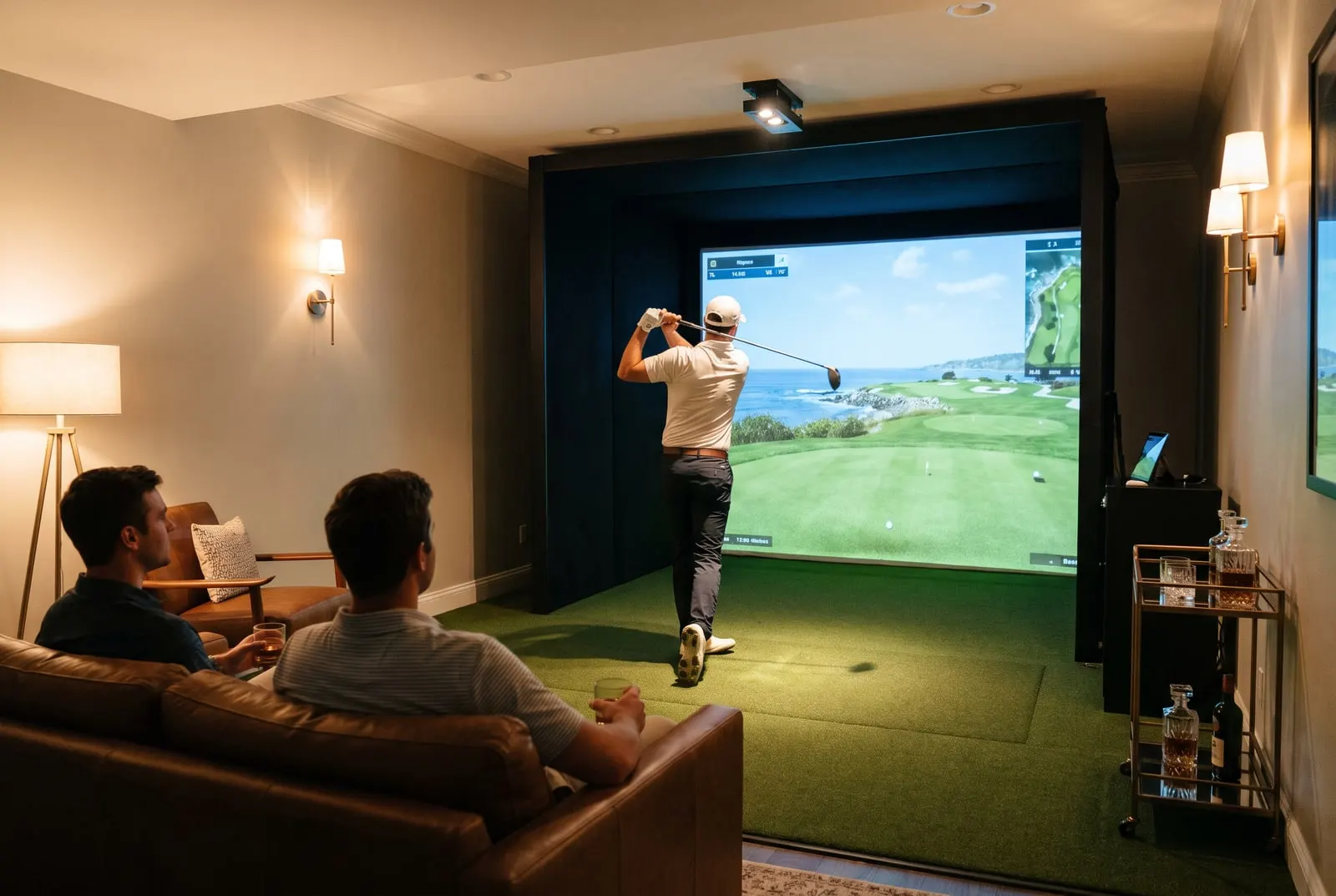
Think of a simulator as three pieces. The launch monitor is the gadget that measures your shot: how fast, how high, how much spin. The screen and projector show the picture. GSPro is the “video game” part in the middle. It takes your shot numbers and shows the ball flying down a real-looking course.
A small team builds the program. The courses come from a community of fans who build them, often from laser scans and satellite photos of real courses. Subscribers get them all for free. Instead of a short list of licensed courses, you get well over a thousand, with new ones added every week. Plenty are real courses that no licensed program carries.
The other big draw is ball flight. GSPro runs your shot numbers through its own physics, not the launch monitor’s. That physics is a big part of why simulator forums rate it so highly.
It also does a lot. Graphics look good on a strong PC, online multiplayer works, and you get real courses, practice ranges and online events. It supports nearly every launch monitor sold for home use.
What it isn’t is slick. Course quality varies, because different people built them. The menus work but aren’t pretty. Help comes from the GSPro team, the forums and Discord, not a call center.
What it costs
GSPro is a yearly subscription of about $250. Check gsprogolf.com for today’s price, because it has changed before and that’s the only page that counts. There’s no lifetime license.
That fee covers the software and every course. You never pay per course.
The extra cost is your launch monitor’s own plan. Some makers charge a yearly fee before their unit will talk to outside software:
- No plan needed: Garmin R10, Full Swing KIT, Foresight GC3, Mevo Gen2.
- Plan required: Rapsodo MLM2PRO (Premium), SkyTrak+ (Game Improvement), Bushnell Launch Pro (Silver or Gold).
Each unit’s plan is covered on the best golf launch monitors page and in the table below. The cost bundles leave out is the PC.
The PC it needs
GSPro runs on Windows only. It won’t run on a Mac, an iPad, a phone or a TV app. It also needs a real graphics card, the kind built for games, which rules out most office PCs and most laptops.
So you need a Windows gaming PC with an RTX-class graphics card or similar. Add a modern processor, a decent amount of RAM and an SSD. GSPro lists its minimum and recommended specs on its website and updates them with each release. Read those before you buy, not a two-year-old forum post.
A gaming laptop with a proper graphics card works, and it’s easier to tuck away in a small bay. A desktop costs less for the same speed and is easier to upgrade.
Budget for the PC on its own line. A simulator package built around a camera launch monitor often lists the projector, screen, mat and enclosure, and quietly leaves the PC to you. The cost builder has a line for it.
Which launch monitors connect to GSPro
There are two ways in. Most camera units and the bigger radars connect directly. Their own app or a small bridge program sends each shot straight to GSPro.
The two budget radars, the Garmin R10 and Rapsodo MLM2PRO, go through GSPro Connect or another connector. That’s a program that reads the unit over Bluetooth or Wi-Fi and passes your shots to GSPro. It works fine. It just adds a step at startup and a piece of software the maker didn’t write.
| Launch monitor | Price | Connects to GSPro | Maker plan needed |
|---|---|---|---|
| Garmin R10 | $500 to $600 | Via GSPro Connect or another connector | None |
| Rapsodo MLM2PRO | $600 to $700 | Via GSPro Connect or another connector | Premium, about $200 a year |
| Square Golf | $600 to $700 | Directly | Some software needs a paid plan |
| SkyTrak+ | $1,800 to $3,000 | Directly | Game Improvement, about $250 a year |
| FlightScope Mevo Gen2 | $1,300 to $2,300 | Directly | None, add-ons are one-time |
| Bushnell Launch Pro | $2,500 to $4,000 | Directly | Silver or Gold tier |
| Uneekor EYE MINI | $3,000 to $4,500 | Directly | Some connections need a yearly plan |
| Full Swing KIT | $4,000 to $5,000 | Directly | None |
| Foresight GC3 | $6,500 to $7,500 | Directly | None |
Three units on our main list don’t run GSPro at all. The Shot Scope LM1 and PRGR Black run no simulator software of any kind. The TrackMan 4 runs TrackMan’s own software. GSPro’s website keeps the current device list, so check it before you buy anything not in this table.
On a budget, the Square Golf is the one to know. At $600 to $700, it’s the cheapest unit that connects to GSPro directly, with no connector. It’s a camera unit, so it sits beside the ball instead of behind you. That makes it a good fit for small rooms where a radar has no space behind the ball.
SGT: the Simulator Golf Tour
SGT, the Simulator Golf Tour, is an online tour played on GSPro and run by the community. Each week there’s an event on a set course. Divisions are based on handicap, so a 15-handicap plays against other 15-handicaps, not scratch players. There are season standings and bigger events through the year too.
You play whenever you like during the event window, and your score goes up with everyone else’s. SGT has its own membership fee, separate from GSPro. It also only works with launch monitors on its approved list, so check the SGT site for both first. It gives your bay something to play for in February.
GSPro vs E6 Connect
E6 Connect is the other program on nearly every launch monitor spec sheet. It comes from TruGolf, a simulator company that’s been around a long time. Where GSPro is built by its community, E6 picks and licenses its own courses.
| GSPro | E6 Connect | |
|---|---|---|
| Who makes it | A small independent team, with courses built by the community | TruGolf, an established simulator company |
| Courses | Well over a thousand fan-built courses, many of them real, all included | Fewer licensed real courses built in-house, with more sold as add-ons |
| Runs on | Windows PC only, real graphics card needed | Windows PC and iPad |
| Price | About $250 a year, check gsprogolf.com | Subscription tiers and course packs, check the E6 site |
| Launch monitors | Most camera units and bigger radars directly, R10 and MLM2PRO via a connector | Every unit on our list except the range-only units and TrackMan |
| Online play | Multiplayer and the SGT tour | Multiplayer, leagues and events |
We’d pick GSPro if you have a Windows gaming PC and want the biggest course library and GSPro’s ball flight. Pick E6 Connect if you want to run the simulator from an iPad. It’s also the pick if you want licensed courses with the same polish everywhere and a company behind the help line.
You can run both. Most launch monitors support both, and you pay for each one separately.
Setting it up with a projector and impact screen
A GSPro bay has five parts: the launch monitor, the PC, the projector, the impact screen with its enclosure, and the mat. The software is the easy bit. The wiring and the placement are where people lose weekends. Here’s the order that saves you redoing things.
- Hang the screen first. The screen’s shape sets everything else. Home screens come in 16:9 (the shape of a TV and most projectors) or 4:3, which is taller for the same width. The best golf impact screens page covers sizes and enclosures.
- Match the projector to it. Use a short-throw projector on the ceiling or an ultra-short-throw unit on the floor. Either keeps your shadow off the screen and the projector out of the ball’s path. The best golf simulator projectors page explains throw distance and brightness.
- Run the cables. The PC connects to the projector with one HDMI cable, which may need to be a long one. Put the PC where you can reach the keyboard between shots, or use a wireless keyboard with a trackpad.
- Place the launch monitor. A camera unit like the Launch Pro, SkyTrak+ or Square Golf sits beside the ball, square to the target line. A radar like the KIT, Mevo Gen2 or R10 sits on the floor behind you, pointed at the screen. Both need about 8 ft of ball flight to the screen.
- Connect it. Open the launch monitor’s own app or bridge first, then GSPro. Pick your device in GSPro’s settings.
- Match the display to the screen. Set GSPro’s resolution and shape to match the screen, not the projector’s default. Get it wrong and the fairway looks stretched.
- Fix the light. Camera units want steady, even light and no sun on the hitting area. Projectors want as little stray light on the screen as possible. Blinds on the windows and a light over the mat, pointed away from the screen, usually cover both.
A small second monitor or a tablet on the side is handy for GSPro’s menus. It keeps the big screen on the course.
What to do next
Haven’t picked a launch monitor yet? Start with the best golf launch monitors. The unit decides whether you need a connector and a maker’s plan before GSPro will see your shots.
Then price the whole bay, PC included, in the cost builder. Building the enclosure yourself? The DIY golf simulator page covers the frame, screen and projector mount around a GSPro PC.
Questions people ask
How much does GSPro cost?
It's a yearly subscription of about $250. Check gsprogolf.com for today's price, because it has changed before and that site is the only one that counts. There's no lifetime license.
What launch monitors work with GSPro?
These connect directly: Square Golf, Bushnell Launch Pro, SkyTrak+, Foresight GC3, Uneekor EYE MINI, Full Swing KIT and FlightScope Mevo Gen2. The Garmin R10 and Rapsodo MLM2PRO connect through GSPro Connect or another connector. Some units need a paid plan from their maker before they'll talk to GSPro.
Does GSPro run on a Mac?
No. GSPro is Windows software, and it needs a real graphics card. Most Mac owners buy a separate Windows gaming PC for the bay. If you want to stay on a Mac or iPad, look at E6 Connect or the SkyTrak app.
What PC do you need for GSPro?
A Windows gaming PC with a real graphics card (RTX-class or similar), a decent amount of RAM and an SSD. A gaming laptop with a proper graphics card works. An office PC or a laptop without one won't. GSPro lists its current minimum and recommended specs on its website.
Keep reading
- The best golf launch monitors for a home simulatorNine launch monitors ranked for a home simulator, from a $200 range radar to a $7,000 camera, with the room each needs and what it costs over three years.Best-of listRead it
- The best projectors for a golf simulatorHow to pick a golf simulator projector: why short-throw matters, throw ratio made simple, how bright for a garage, 1080p vs 4K, and what each band costs.Best-of listRead it
- The best golf impact screens and enclosuresScreen only, frame or full enclosure: how to pick a golf impact screen, how much gap it needs behind it, sizes, noise and what each type costs.Best-of listRead it
- DIY golf simulator: a build order that avoids the expensive mistakesHow to build your own golf simulator in the right order: measure, pick the launch monitor, then the frame, screen, mat, projector and PC, with what each costs.GuideRead it