The best projectors for a golf simulator
How to pick a golf simulator projector: why short-throw matters, throw ratio made simple, how bright for a garage, 1080p vs 4K, and what each band costs.
How we make money. If you buy through a retailer link here, we may earn a commission. It costs you nothing and doesn’t change our picks. Our affiliate disclosure.
Key takeaways
- For most finished rooms with a premium screen, we'd buy the BenQ TK700STi ($1,200 to $1,700). Its 0.9 throw ratio needs about 9 ft to fill a 10 ft wide picture.
- Distance from the screen is throw ratio times picture width. A 0.5 short-throw fills a 10 ft screen from about 5 ft, ahead of you, so your shadow stays off.
- Plan on 2,000 lumens or more for a dark basement and 3,000 or more for a garage with daylight. Laser keeps its brightness far longer than a lamp.
- For a first build or a shallow room, get the Optoma GT1080HDR ($600 to $900). It's 1080p with a 0.5 ratio. Skip it if you want 4K.
On this page
Your screen’s sorted. Now you need the thing that puts a picture on it. For a simulator, that’s almost always a short-throw projector: one that can make a big picture from only a few feet away.
This page explains why short-throw matters, how far back the projector sits, how bright it needs to be, and which models to shortlist. The impact screen guide and the hitting mat guide cover the other two big parts. The enclosure guide shows how they fit together.
Buy the screen and projector as a pair. The shape and size of one sets the other.
Why short-throw matters
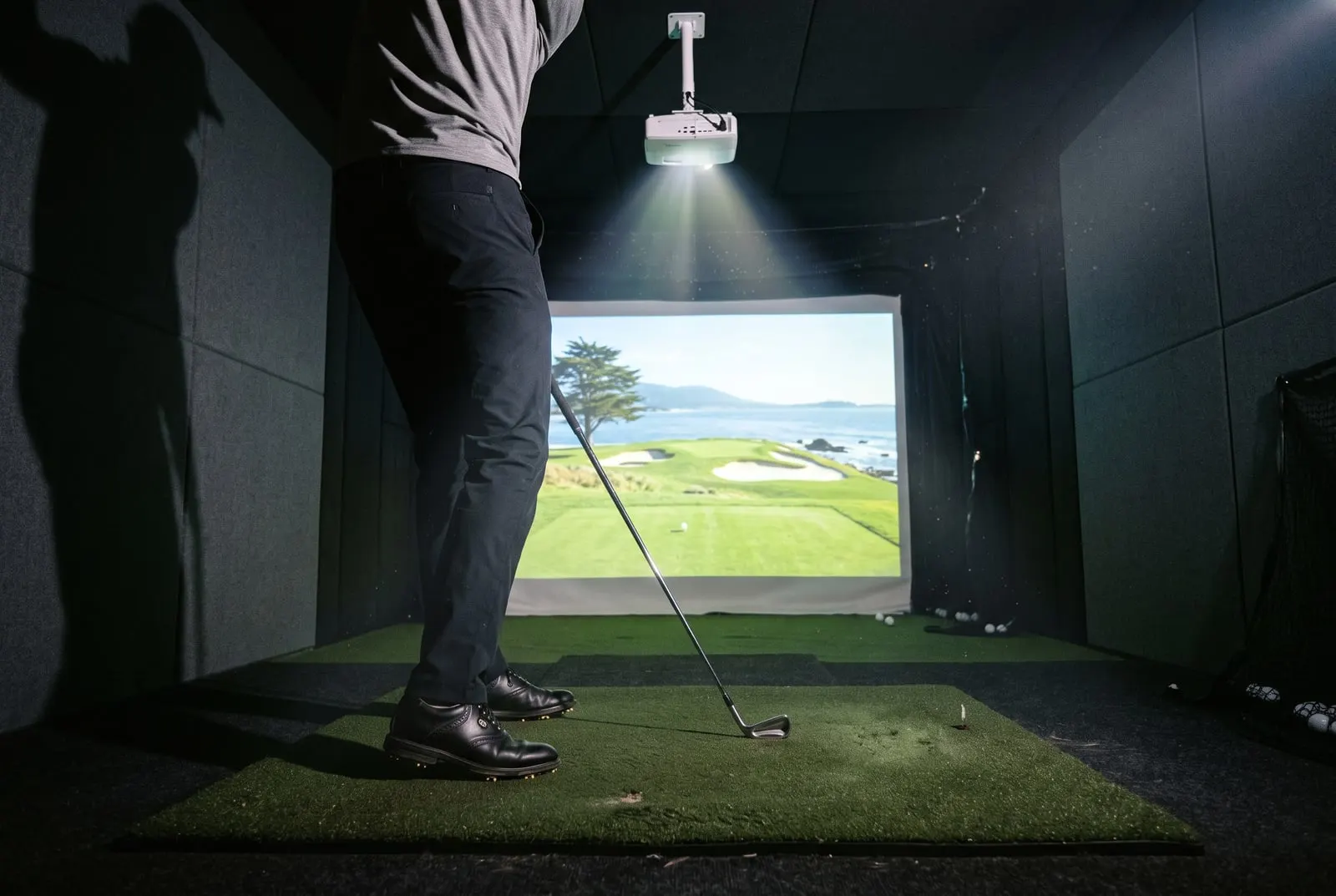
Stand in front of a screen with a projector behind you and swing a club. Your head and shoulders throw a shadow across the fairway. The club throws a second one right through the ball.
A normal home theater projector has a throw ratio of about 1.2 to 1.8. It has to sit 12 to 18 ft back to fill a 10 ft wide screen. In a 16 ft deep room, that’s behind you, and the shadow never goes away.
A short-throw projector with a ratio around 0.5 fills the same 10 ft screen from about 5 ft. It hangs on the ceiling just ahead of the ball, in front of you and the club. Nothing you do can block the light. Every projector on this page is short-throw. What you’re choosing is which ratio fits your bay.
Throw ratio, with the math
So a 0.8 unit needs about 8 ft for that same 10 ft picture, and a 1.0 unit needs 10 ft. In most rooms, 10 ft is behind you. Treat all of these as rough. The distance is measured from the lens, not the back of the box, and makers round their numbers.
Now work backward from your room. Say the screen is 10 ft wide and the ball sits 9 ft from it. You want the projector about 2 ft ahead of the ball so the club stays clear. That puts the lens about 7 ft from the screen, so you need a ratio of 0.7 or lower.
Where the projector sits for a 10 ft wide picture
Distance from the lens to the screen, with the ball 9 ft from the screen.
Ahead of the ball
0.5 to 0.7 ratio. A 0.5 unit at 5 ft works easily
Right over the ball
A 0.9 unit needs 9 ft
Behind you
1.0 or more. Your shadow lands on the picture
Under 7 ft
Ahead of the ball
0.5 to 0.7 ratio. A 0.5 unit at 5 ft works easily
7 ft to 9 ft
Right over the ball
A 0.9 unit needs 9 ft
9 ft and up
Behind you
1.0 or more. Your shadow lands on the picture
Most spec sheets list a range, not one number, because zooming changes the ratio. A fixed lens gives you no wiggle room. Every maker on this page has a throw calculator on its website. Plug in your screen width before you buy the mount. The golf simulator dimensions page has the room numbers that feed into it.
Brightness for a lit room versus a dark room
Brightness is measured in lumens. The better spec sheets say ANSI or ISO lumens. More is better for a simulator. The screen is big, the room is often not fully dark, and the black panels around the screen make a dim picture look even dimmer.
Here’s a rough guide:
- 2,000 lumens or more is enough for a basement or windowless room where you control the light.
- 3,000 lumens or more is the minimum for a garage with a window or a door that lets in daylight. Same if you want the shop lights on.
- Near 4,000 lumens keeps the picture readable with the garage door cracked open.
Screen size moves these numbers. A 16 ft wide picture spreads the same light over twice the area of an 11 ft one.
Lamp projectors get dimmer as the bulb ages. A 3,000 lumen lamp unit is closer to 2,000 a couple of years in. Laser units hold their brightness far longer, and that’s the main reason laser is worth paying for in a garage.
Aspect ratio and the screen
The projector’s shape should match the screen’s. Nearly every home projector is 16:9, the shape of a TV. On a 16:9 screen, the picture fills it and every pixel lands on fabric.
A 4:3 or square screen from the impact screen guide fills a tall, narrow bay better. But a 16:9 projector leaves black bars on it unless you set the projector and software to that shape. The GSPro guide covers those display settings.
If you don’t change the settings, you have two choices. Fill the width and accept black bars above and below. Or zoom to fill the height and let the sides spill onto the side panels, which cuts off part of the view. Black bars keep the whole view, so they’re the safer choice. Brightness matters more on a square screen, because the bars are light thrown at fabric you’re not using.
Mounting: ceiling or floor
A ceiling mount is the usual choice. The projector hangs upside down a few feet ahead of the ball, with the lens above your swing. The cable runs along the ceiling to the PC.
There are two risks. A skied shot can hit the unit, and a padded strip on top of the enclosure helps there. And the ceiling might be too low to keep it out of the way. Check the projector has lens shift or keystone adjustment (ways to square up the picture), because you won’t get it square on the first try.
A floor mount puts the projector in a box on the floor ahead of the ball, pointing up at the screen. It suits low ceilings and rooms where you can’t run cable overhead. The downsides are real:
- It needs heavy keystone correction, which softens the picture.
- The box has to survive a topped 3-wood.
- The club throws a shadow at the bottom of your swing.
Either way, give it room to breathe. A short-throw unit stuffed into a tight corner will overheat and shut down mid-round.
1080p or 4K
At 1080p on a 10 to 12 ft wide screen, you can’t really see pixels from the tee. A standard-grade impact screen blurs the picture more than the resolution does. A mid-range gaming PC runs GSPro or E6 at 1080p with no trouble.
4K shows its worth on a tight-weave premium screen, in the menus and the far-off tree lines. It also needs a stronger graphics card to keep the picture smooth. Many 4K projectors at these prices use pixel shifting instead of a true 4K chip. It still looks sharper than 1080p, and the spec sheet will tell you which kind it is.
Buying a standard screen? Get a 1080p projector and put the savings into the launch monitor. Buying a premium screen and a camera unit like the SkyTrak+ or better? Then a 4K projector is the piece that finishes the picture.
Laser or lamp
A lamp projector uses a bulb rated for about 3,000 to 5,000 hours, and it gets dimmer across that life. Replacement bulbs cost in the low hundreds. A laser projector’s light is rated for about 20,000 hours. It holds its brightness far better, turns on almost instantly, and costs more up front.
Buy laser if the bay is a garage, if you want the lights on, or if you’ll keep the projector a long time. Buy lamp if the bay is dark and money is tight. At a few hours a week, a bulb lasts years.
What the bands cost
| Band | Price (approximate) | Typical spec | Who it’s for |
|---|---|---|---|
| Budget | $500 to $900 | 1080p, lamp, about 3,000 to 4,000 lumens, 0.5 throw | Dark basement, standard screen, first build |
| Mid | $900 to $1,800 | 1080p laser or 4K lamp, 3,000 lumens or more, 0.5 to 0.9 throw | Finished room, premium screen, long-term use |
| Premium laser | $1,800 to $3,500 | 4K laser, 4,000 lumens or more, 0.5 to 0.8 throw | Bright garage, 4K screen, no compromises |
Prices move with sales. Add your pick to the cost builder with the screen and launch monitor to see what it does to the total.
The picks
| Pick | Model | Resolution | Light | Throw ratio (approx.) | Price (approximate) |
|---|---|---|---|---|---|
| Best overall | BenQ TK700STi | 4K (pixel shift) | Lamp | about 0.9 | $1,200 to $1,700 |
| Best budget | Optoma GT1080HDR | 1080p | Lamp | about 0.5 | $600 to $900 |
| Best 4K laser | BenQ LK936ST | 4K | Laser | about 0.8 | $2,500 to $3,500 |
| Best for a bright garage | Optoma ZH-series short-throw laser | 1080p | Laser | about 0.5 | $1,400 to $2,500 |
Best overall: BenQ TK700STi
The TK700STi is BenQ’s short-throw 4K projector made for gamers. It’s our pick for most finished rooms. You get a sharp 4K picture (pixel-shifted, as the spec sheet says) and about 3,000 lumens from a lamp. It also has low input lag, so the ball flies on screen right as you hit it. Its throw ratio near 0.9 is longer than the other picks.
Who’s it for? You’ve got a finished room, a premium screen, and a PC that can drive 4K. Check the throw ratio first. At 0.9, a 10 ft wide picture needs the lens about 9 ft from the screen. A shallow room may need the 0.5 Optoma instead.
Skip it if your bay is a bright garage. A 3,000 lumen lamp fades over time and won’t beat daylight. Skip it too if your screen is standard grade, where 1080p would look nearly the same.
Price: $1,200 to $1,700 (approximate).
Best budget: Optoma GT1080HDR
The GT1080HDR is a 1080p lamp projector with a throw ratio around 0.5. The spec sheet puts it in the high 3,000 lumen range. That short ratio is its big strength. It fills a 10 ft screen from about 5 ft, so it fits almost any room with the projector well ahead of you. It’s also cheap enough that replacing it isn’t a crisis.
It suits a first build on a standard screen, in a basement or a garage where you can shut the door. Pair it with a budget launch monitor like the Garmin R10. You’ll have a working simulator for less than one premium projector.
Skip it if you want 4K, or if the picture has to fight a window. The lamp dims over the years, and you can hear the fan in a quiet room. Optoma has sold several versions under the GT name, so check the throw ratio and resolution on the exact unit you’re buying.
Price: $600 to $900 (approximate).
Best 4K laser: BenQ LK936ST
The LK936ST is a 4K laser projector built for installs, not living rooms. BenQ lists it in the 5,000 lumen class. Its throw ratio is around 0.8, and its lens shift makes a ceiling mount far easier to square up. The laser is rated for 20,000 hours and stays bright far better than a lamp over that time.
It’s for a dedicated room with a tight-weave premium screen and a high-end launch monitor. In that room, a lamp projector would be the weak link. It’s also for anyone who wants to leave the room lights on.
Skip it if the screen is standard grade, if your PC can’t push 4K, or if the room is shallow. At around 0.8, a 10 ft picture wants the lens near 8 ft from the screen.
Price: $2,500 to $3,500 (approximate).
Best for a bright garage: Optoma ZH-series short-throw laser
Optoma’s ZH line is its 1080p laser range. The short-throw models pair a ratio around 0.5 with laser brightness Optoma lists at around 4,000 lumens. That’s what a garage needs. The unit sits 5 ft from the screen, out of your swing, and it stays bright instead of fading like a lamp.
It suits a garage bay with a window or a door that’s open half the time. It also suits you if you practice with the lights on, or want laser life without paying for 4K.
Skip it if you have a dark room and a premium screen. There, the TK700STi gives you more resolution for similar money. Skip it too if your budget stops at the GT1080HDR. Optoma changes the model numbers in this line often, so check the throw ratio and lumens on the exact unit. Epson’s short-throw 3LCD projectors are the other option at this price, though fewer simulator shops carry them.
Price: $1,400 to $2,500, depending on the model (approximate).
Which one to buy
For most finished rooms with a premium screen, buy the BenQ TK700STi. For a first build on a budget, buy the Optoma GT1080HDR. Its 0.5 ratio also solves the shallow-room problem. For a garage with daylight, get a short-throw laser from Optoma’s ZH line. For a room where nothing is a compromise, get the BenQ LK936ST.
Before you order, write down your screen width. Measure from the screen to where the ball will sit, and put both numbers into the maker’s throw calculator. Then check the impact screen guide for the screen grade that shows off the resolution you just paid for.
Questions people ask
Do I need a short-throw projector for a golf simulator?
Almost always, yes. A normal projector has to sit 12 to 15 ft from a 10 ft wide screen, which puts it behind you, so your body throws a shadow on the picture. A short-throw unit with a ratio around 0.5 sits about 5 ft from the screen, ahead of your swing, and the shadow is gone.
How many lumens do I need for a golf simulator projector?
About 2,000 lumens or more is enough in a dark basement with black enclosure panels. A garage with a window or shop lights wants 3,000 or more, and a laser unit near 4,000 stays readable with the lights on. The screen and picture size can move these numbers.
Is 4K worth it for a golf simulator?
Only with the right screen and computer. A tight-weave premium screen shows the extra detail, while a standard screen mostly hides it. 4K also needs a stronger graphics card to run GSPro smoothly. With a standard screen and a mid-range PC, buy 1080p.
Keep reading
- The best golf impact screens and enclosuresScreen only, frame or full enclosure: how to pick a golf impact screen, how much gap it needs behind it, sizes, noise and what each type costs.Best-of listRead it
- The best golf hitting mats for a home simulatorWhy cheap mats hurt, fiber vs nylon turf, how thick, what size, what camera launch monitors need from a mat, and what each price band gets you.Best-of listRead it
- Golf simulator dimensions: room sizes that work, with a plan for eachFour golf simulator room plans, from a 10 by 12 ft spare room to a 15 by 20 ft dedicated bay, with where the mat, launch monitor and projector go.GuideRead it
- GSPro: what it is, what it costs and what runs itWhat GSPro is, what the yearly subscription roughly costs, the Windows PC it needs, which launch monitors connect to it, and how to set it up with a projector.GuideRead it